

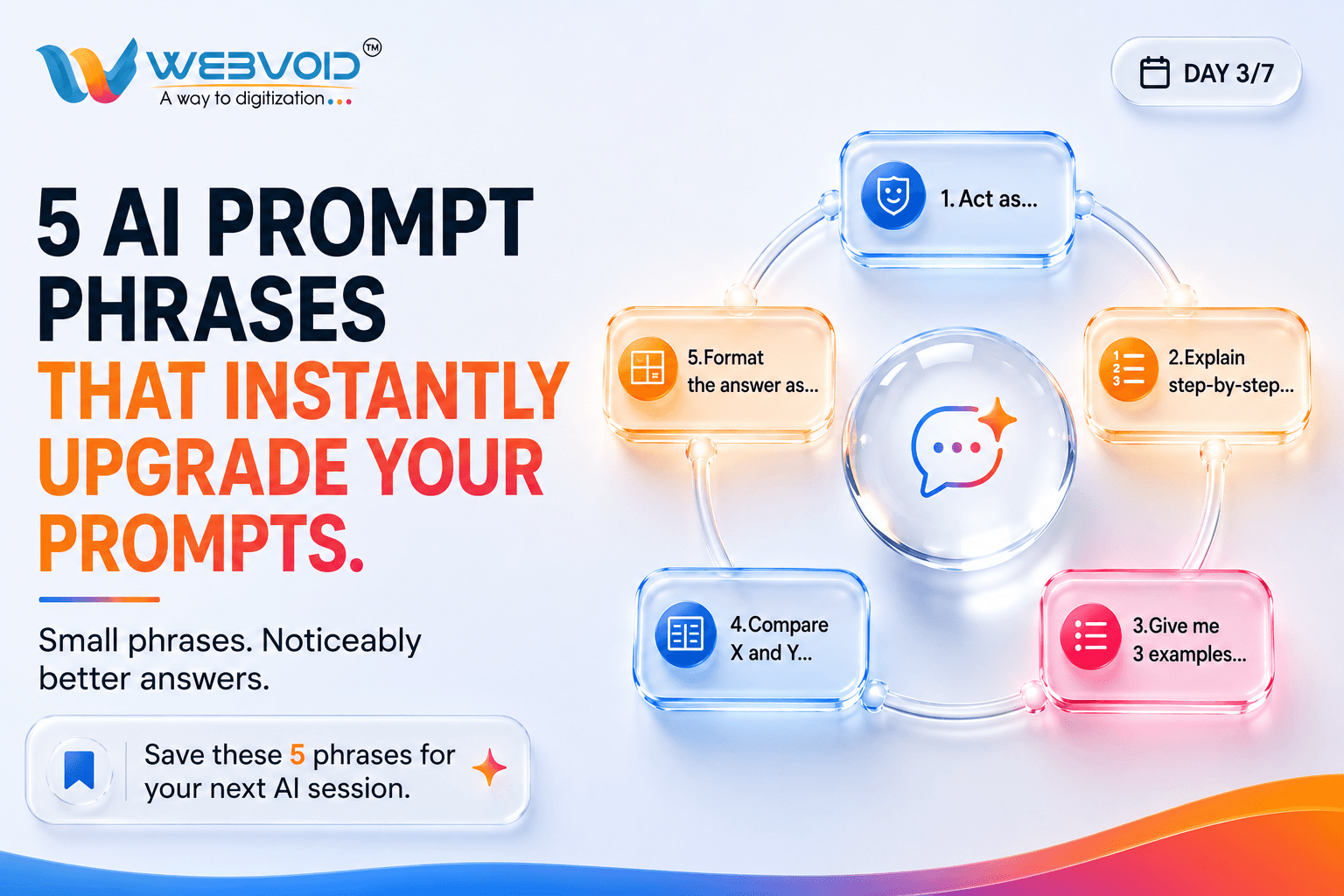
5 AI Prompt Phrases That Instantly Upgrade Your ChatGPT Prompts (With Before & After Examples)
Artificial Intelligence is incredibly powerful—but most people still ask it the wrong way.
The difference between an average AI response and an excellent one often comes down to a few words.
Instead of writing longer prompts, you can simply add a small phrase that gives AI better direction.
Whether you're using ChatGPT, Claude, Gemini, Grok, or any AI assistant, these five prompt upgrades can dramatically improve the quality of your answers.
In this guide, you'll learn:
- Why prompt wording matters.
- Five phrases professionals use.
- Before-and-after examples.
- When to use each phrase.
- A prompt template you can save.
Let's begin.
Why Prompt Engineering Matters
Think of AI like a very intelligent intern.
If you ask:
"Write a blog."
You'll get something generic.
But if you ask:
"Act as an SEO content strategist and explain step-by-step how to write a blog optimized for Google."
The response becomes structured, actionable, and much more valuable.
Good prompts don't make AI smarter.
They make your instructions clearer.
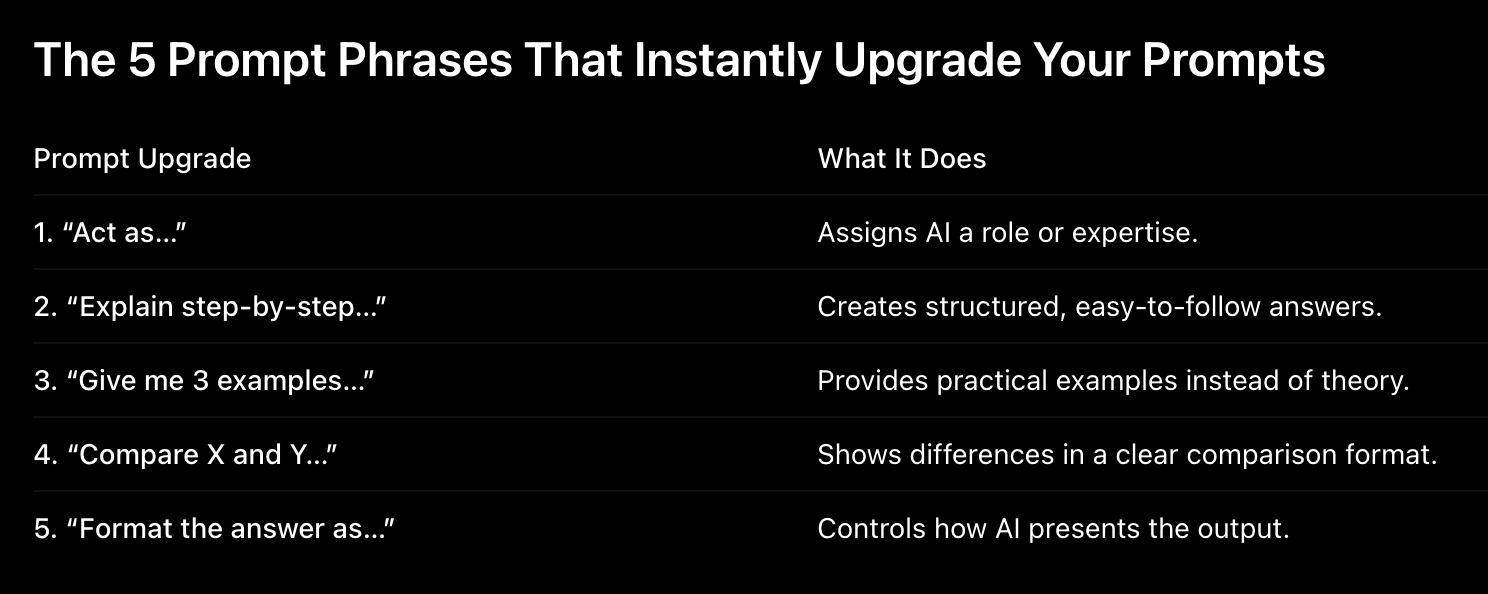
Let's explore each one.
Prompt Upgrade #1 — “Act as…”
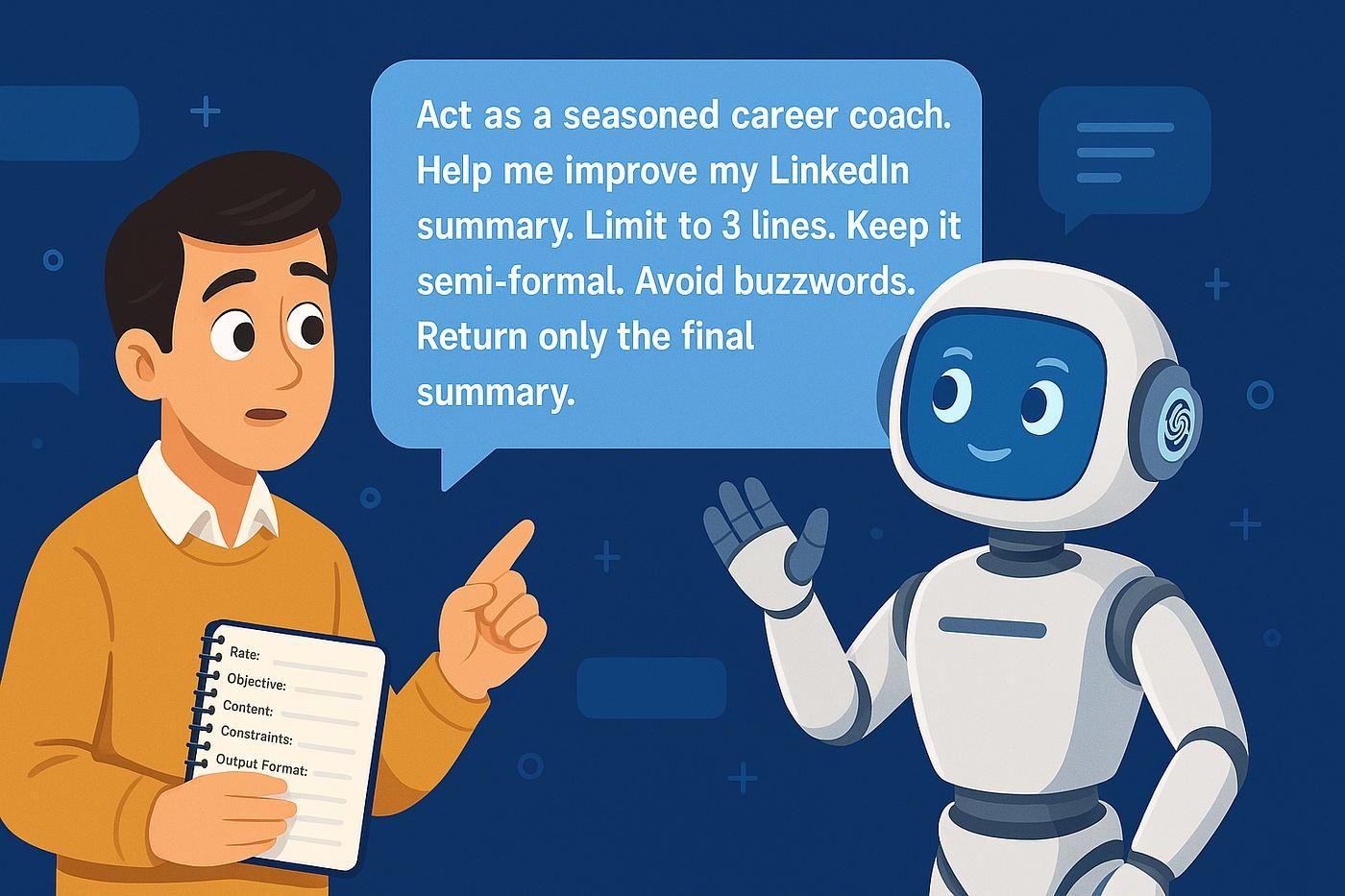
Why it works
AI can respond from different perspectives.
Giving it a role changes the tone, depth, vocabulary, and priorities.
Instead of asking AI directly, tell it who it should become.
Before
Write a website homepage.
After
Act as a senior SaaS copywriter. Write a homepage for an AI automation agency targeting small businesses.
The second prompt gives AI context about:
- Audience
- Expertise
- Style
- Goal
Best Roles You Can Use
Prompt
Act as an SEO strategist.
Act as a senior React developer.
Act as a digital marketing consultant.
Act as a university professor.
Act as a hiring manager.
Act as a product designer.
Real-World Examples
For Students
Act as a Java professor. Teach binary search with examples.
For Developers
Act as a FastAPI architect. Explain JWT authentication with production code.
For Business Owners
Act as a startup growth consultant. Give me a 30-day lead generation strategy.
Prompt Upgrade #2 — “Explain Step-by-Step…”
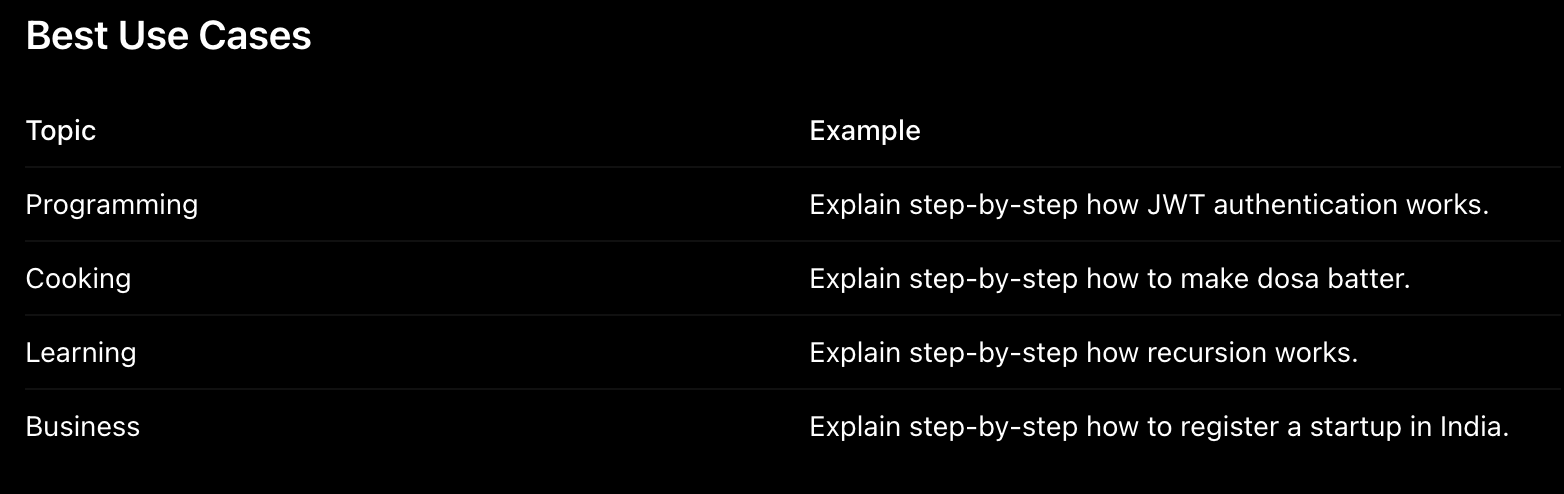
Adding step-by-step encourages a logical structure.
Perfect for learning and tutorials.
Before
How do I deploy a React app?
After
Explain step-by-step how to deploy a React app on Vercel from GitHub.
Now you'll usually receive:
- Create GitHub repository.
- Connect Vercel.
- Configure build settings.
- Deploy.
- Verify domain.
Pro Tip
Pro Tip
Add learning level.
Explain step-by-step like I'm a beginner.
Or
Explain step-by-step assuming I know JavaScript.
Prompt Upgrade #3 — “Give Me 3 Examples…”
Instead of abstract explanations, AI provides practical applications.
Before
Explain REST APIs.
After
Explain REST APIs and give me 3 real-world examples.
Output Improves Like This
Without Examples
- Definition only.
- Few concepts.
- Generic explanation.
With Examples
- Definition + Login API.
- Product API.
- Payment Gateway API.
Great Prompts
Marketing
Give me 3 Instagram caption examples for an AI agency.
Coding
Give me 3 FastAPI CRUD examples.
Resume
Give me 3 achievement bullet examples for a software developer.
SEO
Give me 3 SEO title examples for an AI blog.
Prompt Upgrade #4 — “Compare X and Y…”
Before
Tell me about React and Angular.
After
Compare React and Angular for beginners.
Add Constraints
Compare React and Vue for startup founders building SaaS products.
Context makes comparisons much stronger.
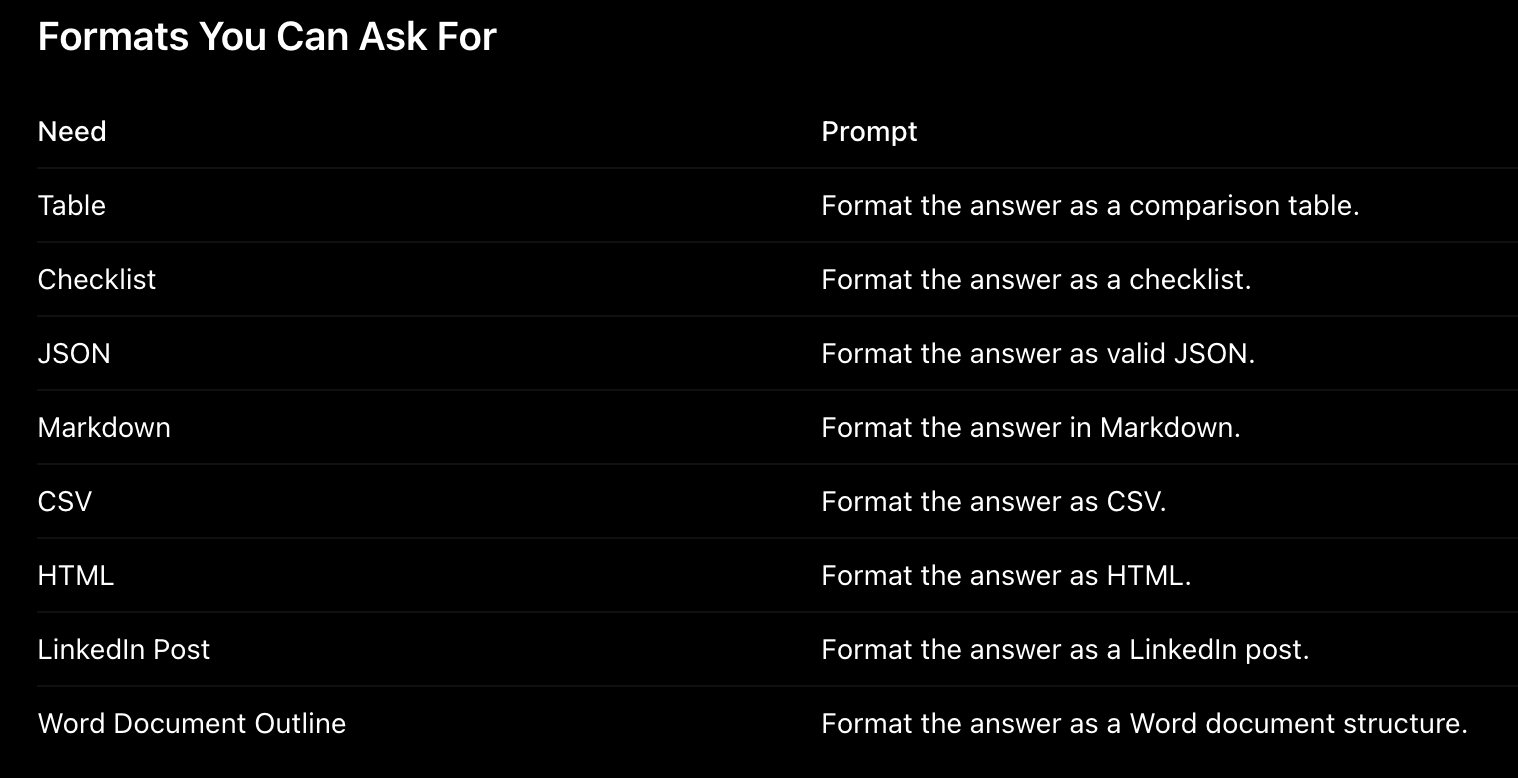
Prompt Upgrade #5 — “Format the Answer As…”
You decide the structure.
Before
Give me a marketing plan.
After
Format the answer as a weekly marketing calendar with tasks, goals, and tools.
Huge improvement.
Practical Examples
Developer
Format the answer as a folder structure with explanations.
Student
Format the answer as revision notes.
Content Creator
Format the answer as an Instagram carousel.
Founder
Format the answer as a pitch deck outline.
Before vs After — The Difference is Huge
Example 1 — Blog Writing
Before
Write a blog about AI.
After
Act as an SEO content strategist. Write a 2000-word blog about AI automation. Explain step-by-step. Give me 3 examples. Format the answer using H2/H3 headings, FAQs, and SEO metadata.
Result: Search-friendly article with better structure.
Example 2 — Coding
Before
Build a login API.
After
Act as a senior FastAPI developer. Explain step-by-step how to build JWT authentication. Give me 3 examples. Format the answer with folder structure and code blocks.
Example 3 — Marketing
Before
Create Instagram captions.
After
Act as a social media strategist. Give me 3 caption examples. Compare short vs long captions. Format the answer as a table.
Combine Multiple Prompt Upgrades Together
This is where prompt engineering becomes powerful.
Template
Act as a [role]. Explain step-by-step how to [task]. Give me 3 examples. Compare [X] and [Y]. Format the answer as [table/checklist/markdown/etc].
Example — Web Development
Act as a senior frontend developer. Explain step-by-step how to build a responsive landing page using React. Give me 3 responsive layout examples. Compare CSS Grid vs Flexbox. Format the answer as Markdown with code snippets.
Example — SEO
Act as an SEO expert. Explain step-by-step how to rank a blog on Google. Give me 3 title examples. Compare informational and transactional keywords. Format the answer as a content strategy table.
Best Prompt Templates for Different Professions
For Developers
Act as a senior software engineer.
Explain step-by-step.
Give production-ready code.
Compare multiple approaches.
Format the answer in Markdown.
For Students
Act as my professor.
Explain step-by-step.
Give me simple examples.
Compare important concepts.
Format as revision notes.
For Designers
Act as a product designer.
Explain UX decisions.
Give me UI examples.
Compare two design systems.
Format as design guidelines.
For Content Creators
Act as a content strategist.
Give me 3 hook examples.
Explain why each works.
Format as an Instagram carousel.
Frequently Asked Questions (FAQs)
What is the easiest way to improve ChatGPT prompts?
Start with one of these five phrases:
- Act as...
- Explain step-by-step...
- Give me examples...
- Compare X and Y...
- Format the answer as...
Do these prompt phrases work with Claude and Gemini?
Yes. These instructions improve prompts across most modern AI assistants including ChatGPT, Claude, Gemini, Grok, and Perplexity.
Should I always use all five phrases together?
No. Use only the ones that help your task. Adding unnecessary instructions can make prompts longer without improving results.
Can prompt engineering help developers?
Absolutely. Developers can use role prompts, formatting prompts, examples, and comparisons to generate cleaner code and documentation faster.
Can beginners learn prompt engineering?
Yes. These five phrases are beginner-friendly and cover most everyday AI tasks.
The best AI prompts aren't always longer—they're more specific.
These five small phrases give AI better direction and produce noticeably better answers:
- Act as...
- Explain step-by-step...
- Give me 3 examples...
- Compare X and Y...
- Format the answer as...
Save these phrases and reuse them whenever you're writing prompts for work, coding, studying, marketing, or content creation.
The quality of your prompt often determines the quality of the response.